
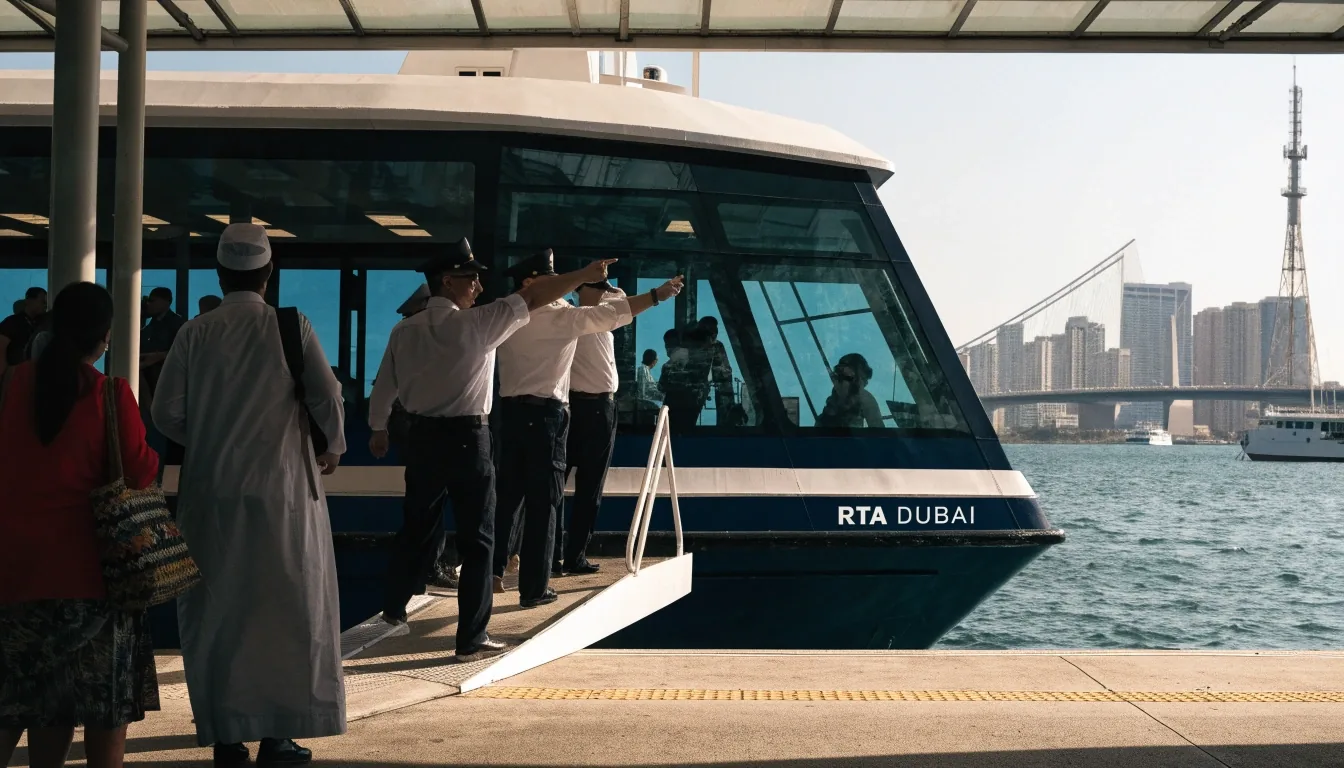
A practical guide to using RTA Smart Drive
The Roads and Transport Authority's own navigation app, set up properly: offline routing that keeps working when data drops, voice guidance, speed limit alerts and Dubai location coverage.
What RTA Smart Drive is
It's a navigation app built by the authority that runs Dubai's roads and transport. That origin shapes what it does: route planning and exploration for Dubai, turn-by-turn voice and visual directions, automatic rerouting, and speed limit alerts as you drive.
Because it comes from the RTA, its map includes transport infrastructure beyond roads. Metro stations, Dubai Tram stops and Marine Transport locations sit inside the same app, which makes it useful for planning a trip that isn't purely by car.
That combination matters if your day mixes a car with a train or a ferry. You can look up a destination, see how the last leg connects, and decide before you leave the house whether driving the whole way makes sense.

The offline feature, and why it matters here
RTA Smart Drive works without a mobile internet connection. In a city with good coverage that sounds minor, until you drive toward the desert or hit a stretch where data drops.
Offline function means the app keeps navigating when the network doesn't. For daily Dubai driving it's a safety net. For intercity or desert routes it's closer to essential, and it's the clearest reason to keep this app installed even if you normally use something else.
Practical way to test it: open the app, plan a route you drive often, then switch your phone to airplane mode and start the trip. If the turn-by-turn voice still speaks and the map still tracks you, the offline data is on board. If it stalls, the initial download never finished.
- Routes out toward the desert edge of the city.
- Multi-storey car parks and basement levels where signal fades.
- Intercity stretches with patchy coverage between emirates.
Setting it up
Do this at home on Wi-Fi rather than in a car park with one bar of signal. The first-run setup is quick, but doing it early avoids the situation where you need directions and the app is still configuring itself.
-
STEP 1
Install and open it
Download it from your phone's app store and open it. Grant location permission when asked, since navigation without it is pointless.
-
STEP 2
Choose language and voice
Set your language and voice preferences before your first drive. A voice you can follow at a glance is safer than one you have to decode mid-junction.
-
STEP 3
Let the map download finish
Let it complete any initial map or data download before you rely on it. Leaving the app mid-download is the single easiest way to end up without offline data.
-
STEP 4
Test one route offline
Plan a familiar route, then run it with mobile data switched off. That single test tells you more about readiness than any settings screen.
Planning a route
Enter your destination and the app plots a route with turn-by-turn voice and visual guidance. If you leave the planned route, automatic rerouting kicks in and recalculates without you touching the phone.
Speed limit alerts show the current limit as you drive. In Dubai, where limits shift between districts and highway sections, that's a useful check even if you know the road.
A habit worth building: before you set off somewhere unfamiliar, glance at the shape of the route rather than only the first instruction. Knowing that your trip ends on a service road or a slip exit changes how you drive the last two kilometres.
Behaviour described here is what the app is built to do; what you see on screen can vary with app version and phone settings.
Exploring Dubai, not just driving it
The app supports route planning and exploration, which means you can use it to look up locations before you set off. Because Metro, Tram and Marine Transport locations are in the same map, you can plan a destination that mixes driving and public transport.
Plan before you leave
Look the destination up at home, check the last kilometre, and decide the route while you are still parked.
Mix car and Metro
If your trip ends near a Metro station, the same map shows the station and the roads that feed it.
Waterfront destinations
Marine Transport locations sit in the same app, so a waterfront trip is planned in one place.
This is where it separates from a pure road-navigation app. If your trip ends near a waterfront district or a Metro station, the same tool covers the whole route rather than handing you off at the car park.
Where it's strongest, and where it isn't
Two honest columns rather than one claim. RTA Smart Drive is strongest inside Dubai and on routes where offline reliability matters. Its Dubai map data reflects the authority's own view of the road network, which is a real advantage for local accuracy.
- Local road detail comes from the authority that manages the network.
- Offline routing holds up where mobile data is unreliable.
- Metro, Tram and Marine Transport layers live in the same map as the roads.
- Speed limit alerts match Dubai's shifting district and highway limits.
- Coverage beyond Dubai is less of a differentiator than a global app's.
- Regular trips into Abu Dhabi or the northern emirates benefit from a second app.
- Cross-border planning and long inter-emirate routes are not its focus.
- Pairing it with a global app is a sensible setup rather than a compromise.
A daily-driving routine
Open the app before you start, not after you've pulled out. Check the route it suggests against what you know about peak-hour congestion. Let the speed limit alerts run even on roads you know, because limits change.
If you're heading somewhere unfamiliar, look it up in the app first and note the Makani number if one is available. That combination handles most Dubai trips without drama.
Keep the phone mounted where you can read it with a glance rather than a turn of the head, and set the volume before you move. Both sound obvious; both are the difference between guidance you follow and guidance you ignore.
- App open and route loaded while still parked.
- Voice guidance volume set before the first junction.
- Speed alerts left switched on, even on familiar roads.
- Destination checked, with a Makani number noted if one exists.
"The first-run setup is quick, but doing it early avoids the situation where you need directions and the app is still configuring itself."
Common mistakes
Three habits account for most of the frustration people have with this app, and all three are easy to avoid.
Installing it and stopping there
The most common mistake is installing it and never completing the initial setup, so it's not actually ready offline when needed. Finish the download and run one offline test drive before you trust it.
Expecting global coverage
Treating it as a global app and expecting the same coverage outside Dubai leads to disappointment. Keep a second app installed for trips that cross emirate borders, and switch between them by route rather than by habit.
Ignoring the transport layers
If your destination is near a Metro or Tram stop, driving all the way there is often the slower choice. Check the station on the map first and decide whether to park earlier and ride the last stretch.
Questions drivers ask
Short answers to the three things that come up most about this app. If your question is about tolls or roadworks instead, those have their own guides.
Does RTA Smart Drive work without internet?
Yes. It's built to work without a mobile internet connection, which is its main advantage over most mainstream navigation apps in the UAE. The offline data has to finish downloading during setup first.
Is RTA Smart Drive only for Dubai?
It's Dubai-focused, built by the Roads and Transport Authority. Its Dubai coverage is its strength. For heavy inter-emirate driving, pair it with a global app and choose per trip.
What is the difference between RTA Smart Drive and S'hail?
They're separate RTA products with different jobs. This guide covers Smart Drive's navigation features. Check the RTA's own channels for what S'hail currently does, since that's outside what we document here.
Set it up once, then stop thinking about it
Finish the download, run one offline test route, and keep the app on your phone even if something else is your daily driver. On the days the signal disappears, that decision pays for itself.
- Salik, signs and inter-emirate driving
- Live traffic and roadworks
- Public transport navigation
- Makani address guide
Office 1403, Al Shatha Tower, Sheikh Zayed Road, Dubai, United Arab Emirates
Monday to Friday, 9:00 AM – 6:00 PM
Where we are
Our office sits on Sheikh Zayed Road, a short walk from the Metro and easy to reach by car. If you'd rather ask something in person than by email, this is the address to navigate to.
Office 1403, Al Shatha Tower, Sheikh Zayed Road, Dubai, United Arab Emirates.